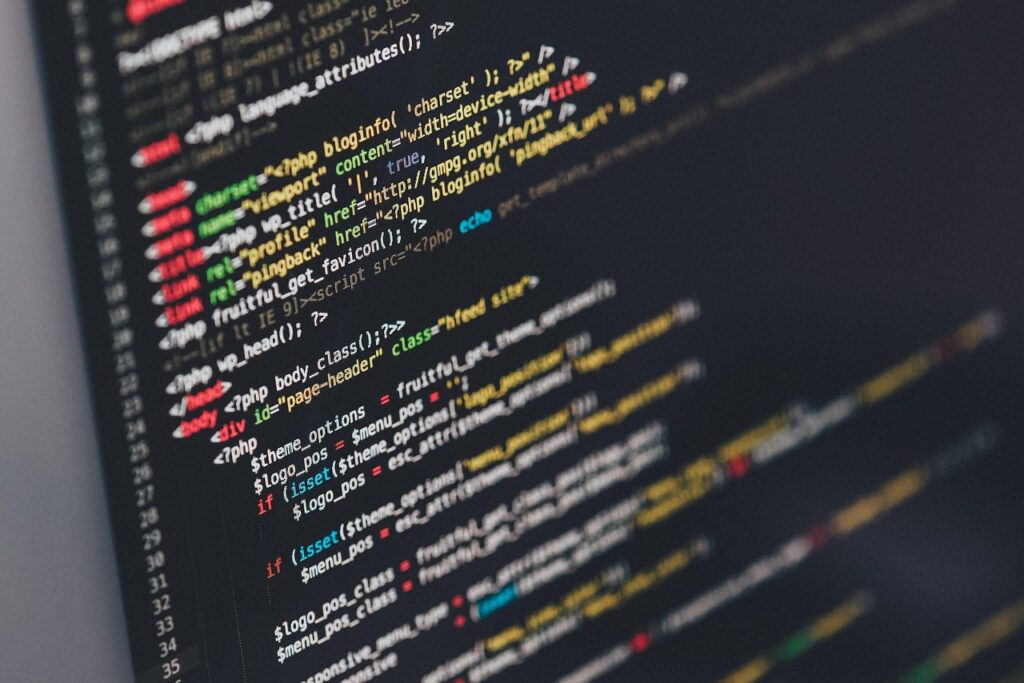

For someone who has just discovered the term ‘software’, it can be quite overwhelming to understand its significance and impact on daily life. Most people get wrong the idea that software is just about computer programs and coding — it encompasses much more than that. Software is integral to how we communicate, work, and entertain ourselves. The misconception that software development is solely the domain of tech enthusiasts also needs clarification. In reality, software affects nearly every aspect of modern life, from the simplest mobile apps to the most complex systems managing global networks. As technology advances, the role of software continues to expand.
📝 Contents
What Is Software?
Software refers to a set of instructions — or programs (which are essentially lists of instructions) — that tell a computer what to do. It is created by programmers (or software developers) using programming languages (like Java or Python — these are languages that computers can understand). Think of software like a recipe for your favorite dish; just as a recipe provides step-by-step instructions for cooking, software provides instructions for the computer to perform specific tasks.
| Term | Plain-English Meaning |
|---|---|
| Algorithm | A set of rules or steps used to solve a problem or achieve a particular goal — like a recipe for making software work. |
| Programming Language | A language used by programmers to write instructions that computers can understand — examples include Java, Python, and C++. |
| Application | A type of software that performs a specific task or set of tasks — like a web browser or a word processor. |
| Operating System | The main software that manages a computer’s hardware and provides a platform for other software to run on — examples include Windows, macOS, and Linux. |
| Database | A collection of organized data that is stored in a way that allows for efficient retrieval and manipulation — think of it like a digital filing cabinet. |
| Cloud Computing | A model of delivering computing services over the internet — it allows users to access software, storage, and other services online, rather than having them physically on their devices. |
Why Software Matters
Software matters because it has transformed the way people live, work, and communicate. It has enabled the creation of complex systems that manage and facilitate various aspects of life, from financial transactions to healthcare services. For instance, banking software allows for secure online transactions, while medical software helps in diagnosing diseases more accurately. In the business sector, software has increased efficiency, reduced costs, and opened up new markets. It’s hard to imagine a world without software, given its pervasive influence on modern society.
The impact of software can be seen in the numbers; for example, the global software market was valued at over $500 billion in 2020 and is expected to grow significantly in the coming years. This growth is driven by the increasing demand for software solutions across various industries, including education, finance, and healthcare. Furthermore, software has created millions of jobs worldwide, both directly in the tech industry and indirectly in sectors that rely on software to operate.
Software also plays a critical role in innovation. It has been the driving force behind many technological advancements, from artificial intelligence (AI) and machine learning (ML) to the Internet of Things (IoT). These technologies are changing the world by enabling smart homes, autonomous vehicles, and personalized medicine, among other applications. The development and application of software continue to push the boundaries of what is possible, leading to breakthroughs that improve the quality of life and address some of humanity’s most pressing challenges.
Major Software Developments
1. Introduction to Programming
Introduction to programming is the first step in software development, where one learns the basics of programming languages and how to write code. To start programming, one needs to choose a programming language (like Python or JavaScript) and use a code editor or an Integrated Development Environment (IDE) to write, run, and debug the code. A common beginner mistake is trying to learn too much too quickly, without practicing the basics thoroughly.
- Why It Works: Learning the fundamentals of programming allows developers to understand how software is built and to start creating simple programs.
- It provides a solid foundation for more advanced learning and specialization in specific areas of software development.
2. Designing Software Architecture
Designing software architecture involves planning the overall structure and components of a software system. This includes defining how different parts of the system will interact with each other and with external systems. To design software architecture, developers use various tools and methodologies, such as the Unified Modeling Language (UML), to create diagrams and models of the system. A common mistake is not considering scalability and flexibility in the design, which can lead to difficulties when the system needs to be expanded or modified.
- Why It Works: A well-designed software architecture ensures that the system is maintainable, efficient, and meets the requirements of its users.
- It helps in identifying potential issues early in the development process, reducing the risk of costly rework later on.
3. Developing the User Interface
Developing the user interface (UI) involves creating the visual elements and interactions that users will experience when using the software. This includes designing screens, buttons, menus, and other graphical elements, as well as ensuring that the UI is intuitive and user-friendly. To develop a UI, developers use various front-end development tools and frameworks (like React or Angular), and they must consider accessibility and responsiveness to ensure the UI works well on different devices and for different users. A common beginner mistake is overcomplicating the UI, making it difficult for users to navigate.
- Why It Works: A well-designed UI can significantly enhance the user experience, making the software more enjoyable and effective to use.
- It is crucial for user engagement and satisfaction, as a poorly designed UI can lead to frustration and abandonment of the software.
4. Writing the Backend Code
Writing the backend code involves creating the server-side logic, database integration, and API connectivity for the software. This is typically done using server-side programming languages (like Ruby, PHP, or Python) and frameworks (such as Ruby on Rails, Laravel, or Django). To write backend code, developers must ensure that the code is secure, efficient, and scalable. A common mistake is not following best practices for coding, which can result in vulnerabilities and performance issues. backend code involves
- Why It Works: The backend code is the core of the software, handling data storage, retrieval, and manipulation, and providing services to the frontend.
- It enables the software to interact with other systems, services, and databases, facilitating complex operations and data exchange.
5. Testing and Debugging
Testing and debugging are critical steps in software development that ensure the software works correctly and is free of bugs. This involves creating test cases, running the software through various scenarios, and identifying and fixing errors. Developers use testing frameworks and tools (like JUnit or PyUnit) to automate testing and debugging processes. A common beginner mistake is underestimating the importance of thorough testing, which can lead to the release of software with significant bugs.
- Why It Works: Testing and debugging help in delivering high-quality software that meets user expectations and is reliable.
- They reduce the risk of software failures and security breaches by identifying and addressing issues before the software is released to the public.
6. Deploying the Software
Deploying the software involves making it available to users, either by distributing it through app stores, making it downloadable from a website, or providing access through a web interface. This step requires planning for infrastructure, scalability, and maintenance. Developers must choose appropriate deployment strategies (like cloud deployment or containerization) and tools (such as Docker or Kubernetes) to ensure smooth and efficient deployment. A common mistake is not considering the ongoing maintenance and update needs of the software post-deployment.
- Why It Works: Successful deployment makes the software accessible to its intended audience, allowing users to benefit from its features and functions.
- It marks the culmination of the development process but also the beginning of the software’s lifecycle, requiring ongoing support and updates.
7. Maintaining and Updating the Software
Maintaining and updating the software is essential for its long-term viability and to ensure it continues to meet user needs. This involves fixing bugs, adding new features, and improving performance. Developers must monitor user feedback, stay updated with the latest technologies and trends, and plan for regular updates and maintenance activities. A common mistake is neglecting maintenance, which can lead to the software becoming outdated and less secure.
- Why It Works: Ongoing maintenance and updates keep the software relevant, secure, and competitive, ensuring its continued usefulness and appeal to users.
- They demonstrate a commitment to quality and user satisfaction, fostering trust and loyalty among the software’s user base.
| Step | What You Do | Expected Result |
|---|---|---|
| 1. Introduction to Programming | Learn the basics of programming languages and start coding. | Understand how to write simple programs and have a foundation for further learning. |
| 2. Designing Software Architecture | Plan the overall structure of the software system. | Have a well-structured system that is efficient and meets user needs. |
| 3. Developing the User Interface | Create the visual elements and interactions of the software. | A user-friendly and intuitive interface that enhances the user experience. |
| 4. Writing the Backend Code | Develop the server-side logic and database integration of the software. | A robust backend that securely and efficiently handles data and services. |
| 5. Testing and Debugging | Test the software for bugs and errors and fix them. | High-quality software that is reliable and functions as expected. |
| 6. Deploying the Software | Make the software available to users. | The software is accessible and usable by its intended audience. |
| 7. Maintaining and Updating the Software | Continue to fix issues, add features, and improve the software. | The software remains relevant, secure, and meets evolving user needs. |
Frequently Asked Questions
What is the difference between a programmer and a software developer?
A programmer is typically focused on writing code, while a software developer is involved in the entire software development process, from design to deployment and maintenance. The terms are often used interchangeably, but a software developer usually has a broader role that encompasses programming as well as other aspects of software creation. writing code while
How long does it take to learn how to develop software?
The time it takes to learn software development can vary significantly depending on the individual’s background, the depth of knowledge they wish to acquire, and how much time they can dedicate to learning. It can take from a few months to several years to become proficient, and it is a continuous learning process due to the rapid evolution of technologies and methodologies in the field.
What are the most popular programming languages for beginners to learn?
For beginners, popular programming languages to learn include Python, JavaScript, and HTML/CSS. These languages are relatively easy to learn, have extensive resources available for beginners, and are widely used in the industry, making them great starting points for a career in software development.
How does one get started with developing their own software?
To get started with developing your own software, begin by learning the basics of programming through online courses, tutorials, or coding books. Choose a project idea, design the architecture, and start coding. Joining online communities or finding a mentor can also provide valuable support and feedback throughout the development process.
What are the career prospects for software developers?
Software developers have excellent career prospects, with high demand across various industries. Roles can range from mobile app developers and web developers to data scientists and artificial intelligence engineers. The field is constantly evolving, offering opportunities for professional growth, specialization, and innovation, making it a dynamic and rewarding career path.
One Last Thing
Software development is a path that requires patience, dedication, and continuous learning. It offers the opportunity to create something from scratch, to solve real-world problems, and to make a significant impact on people’s lives. By understanding the basics of software and how it is developed, individuals can unlock new possibilities, whether as professionals in the field or as informed users of technology. The world of software is vast and evolving, and engaging with it can be a deeply rewarding experience. With the right mindset and resources, anyone can start exploring the world of software development and contribute to shaping the future of technology. The potential for innovation and growth in this field is limitless, and the path starts with the first line of code.