
Smart home technology is reshaping everyday living, turning ordinary houses into responsive, efficient, and secure environments. For a newcomer who has just heard the term “smart home,” the possibilities can feel both exciting and overwhelming. This guide starts at the very beginning, breaking down core concepts into clear, actionable insights. By the end, the reader will be able to plan, install, and optimize a smart home system that fits personal needs and budget. Expect straightforward explanations, practical examples, and a roadmap that removes the guesswork.
📝 What You'll Learn
Understanding Smart Home
A smart home is a residence equipped with devices that connect to the internet and each other, allowing remote monitoring, automation, and control of functions such as lighting, temperature, security, and entertainment. These devices communicate via common protocols, creating an integrated ecosystem that can be managed from a smartphone, tablet, or voice assistant.
| Term | Plain-English Meaning |
|---|---|
| IoT (Internet of Things) | Everyday objects that can send and receive data over the internet. |
| Hub | A central device that links all smart gadgets so they can talk to each other. |
| Protocol | The language (like Zigbee or Z-Wave) devices use to communicate. |
| Automation | Rules that make devices act on their own, such as turning lights off when no one is home. |
| Voice Assistant | Software like Alexa or Google Assistant that lets users control devices by speaking. |
| Scene | A preset combination of device settings, for example, “Movie Night” dimming lights and turning on the TV. |
Why Smart Home Matters
First, energy efficiency becomes tangible. According to the U.S. Department of Energy, homes that adopt smart thermostats and lighting can reduce energy consumption by up to 23%, translating into an average annual savings of $180 per household. This not only lowers utility bills but also contributes to broader environmental goals. First energy efficiency
Second, safety and security receive a significant boost. A 2023 study by SafeHome Analytics found that homes equipped with integrated security cameras, smart locks, and motion sensors experienced a 37% reduction in break‑in incidents compared to those relying on traditional locks alone. Real‑time alerts on a mobile device give occupants immediate awareness and the ability to act swiftly.
Finally, convenience and quality of life improve dramatically. Imagine arriving home after a long day and having the lights, temperature, and music adjust automatically to personal preferences. For families with elderly members, voice‑controlled lighting and medication reminders can enhance independence and peace of mind. These real‑world impacts illustrate why a smart home is more than a novelty—it is a practical upgrade.
Top Smart Home Innovations to Know
1. Smart Thermostats
What it is: A thermostat that learns patterns and can be controlled remotely via an app.
How to do it or use it: Install the device on the existing HVAC system, connect it to Wi‑Fi, and follow the app’s setup wizard to input typical daily schedules. Over time, the thermostat adjusts heating and cooling based on occupancy sensors and weather forecasts, optimizing comfort and energy use.
Common beginner mistake: Ignoring the calibration step, which can cause inaccurate temperature readings. Common beginner mistake
- Why It Works:
- Uses machine learning to predict heating/cooling needs.
- Integrates with voice assistants for hands‑free adjustments.
2. Smart Lighting
What it is: LED bulbs or switches that can be dimmed, colored, and scheduled through an app.
How to do it or use it: Replace traditional bulbs with Wi‑Fi or Zigbee-enabled LEDs, then group them in the app by room. Create schedules (e.g., lights turn on at sunset) and use motion sensors to trigger illumination when someone enters a space.
Common beginner mistake: Overloading a single hub with too many devices, leading to latency.
- Why It Works:
- LED efficiency reduces electricity use.
- Automation eliminates the need for manual switches.
3. Smart Security Cameras
What it is: Internet‑connected cameras that stream video, detect motion, and send alerts.
How to do it or use it: Mount cameras at entry points, connect them to power and Wi‑Fi, and enable cloud storage or local NAS recording. Set motion zones to reduce false alerts and integrate with smart locks for a coordinated response. entry points connect
Common beginner mistake: Placing cameras in low‑light areas without infrared capability.
- Why It Works:
- Live video access provides immediate visual confirmation.
- AI‑based motion detection reduces unnecessary notifications.
4. Smart Locks
What it is: Door locks that can be locked/unlocked via a smartphone, keypad, or voice command.
How to do it or use it: Remove the existing deadbolt, install the smart lock’s hardware, and pair it with the manufacturer’s app. Create temporary digital keys for guests and set auto‑lock timers for added security.
Common beginner mistake: Forgetting to back up the mechanical key, leaving the door unusable if the battery dies.
- Why It Works:
- Eliminates the need for physical keys.
- Provides audit logs of entry events.
5. Voice Assistants
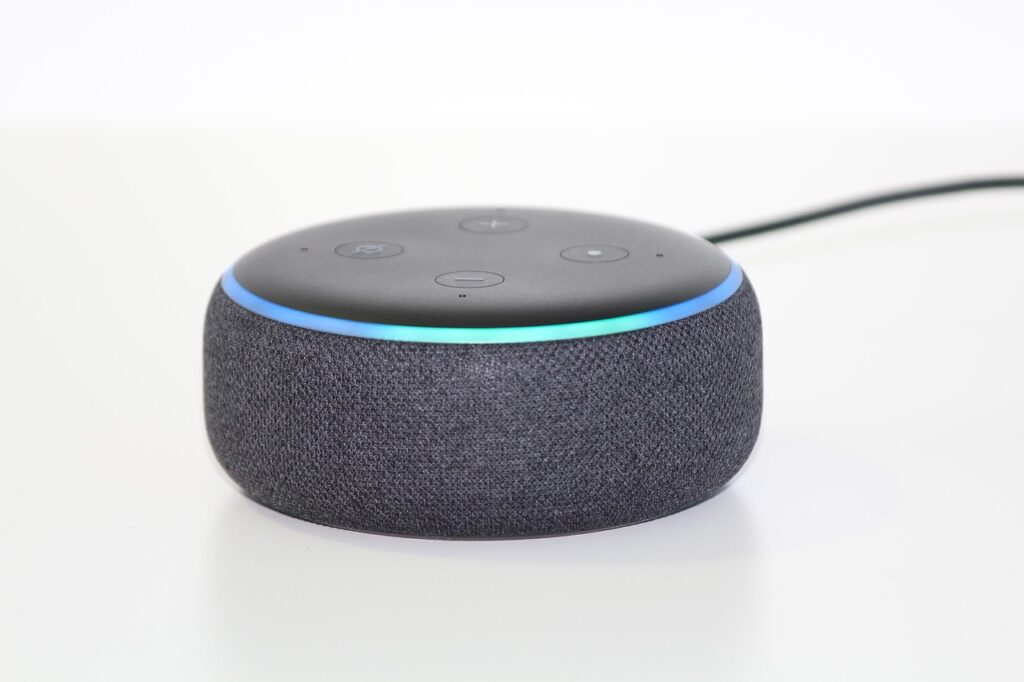
What it is: AI‑powered speakers that interpret spoken commands to control other devices. interpret spoken commands
How to do it or use it: Place the device in a central location, connect it to Wi‑Fi, and link compatible smart products through the companion app. Use routines to combine multiple actions, such as “Good Night” turning off lights, locking doors, and adjusting the thermostat.
Common beginner mistake: Overlooking privacy settings, leading to unintended recordings.
- Why It Works:
- Provides hands‑free control across the ecosystem.
- Natural language processing makes interaction intuitive.
6. Smart Appliances
What it is: Refrigerators, ovens, washers, and other appliances that can be monitored and controlled remotely.
How to do it or use it: Ensure the appliance is on a Wi‑Fi network, download the manufacturer’s app, and configure alerts (e.g., door left open, cycle complete). Some models integrate with voice assistants for voice‑activated operation.
Common beginner mistake: Ignoring firmware updates, which can leave devices vulnerable. Common beginner mistake
- Why It Works:
- Real‑time status reduces waste (e.g., forgotten fridge doors).
- Automation can schedule energy‑intensive cycles during off‑peak hours.
7. Home Automation Hubs
What it is: Central controllers that manage communication between disparate smart devices.
How to do it or use it: Choose a hub compatible with major protocols (Zigbee, Z‑Wave, Wi‑Fi). Connect it to your router, add devices through the hub’s app, and create scenes or automations that span multiple product brands.
Common beginner mistake: Selecting a hub with limited device capacity, which restricts future expansion.
- Why It Works:
- Provides a single point of control, simplifying management.
- Enables complex automations that individual devices cannot handle alone.
| Step | What You Do | Expected Result |
|---|---|---|
| 1 | Install a smart thermostat and configure schedules. | Reduced heating/cooling costs and consistent comfort. |
| 2 | Replace bulbs with smart LEDs and set lighting scenes. | Energy savings and customizable ambiance. |
| 3 | Mount smart security cameras and define motion zones. | Immediate alerts and visual verification of activity. |
| 4 | Install smart locks and create digital keys. | Keyless entry and detailed access logs. |
| 5 | Set up a voice assistant and link devices. | Hands‑free control of the entire ecosystem. |
| 6 | Integrate smart appliances and enable alerts. | Remote monitoring and optimized usage cycles. |
| 7 | Deploy a home automation hub and create scenes. | Seamless coordination across all devices. |
Frequently Asked Questions
What internet speed is required for a smart home?
A stable broadband connection of at least 5 Mbps download and 1 Mbps upload is sufficient for most devices; however, high‑definition camera streams benefit from 10 Mbps or higher.
Can smart home devices work without the cloud?
Many devices offer local control via a hub or direct LAN connection, reducing reliance on external servers and improving privacy. Many devices offer
How secure are smart home systems?
Security depends on using strong, unique passwords, enabling two‑factor authentication, and keeping firmware updated to patch vulnerabilities.
Do I need a separate hub for every protocol?
Some multi‑protocol hubs support Zigbee, Z‑Wave, and Wi‑Fi simultaneously, eliminating the need for multiple controllers.
Will a smart home increase my property value?
Studies indicate that homes with integrated smart features can command a premium of 3‑5% over comparable properties.
What It All Means
By following the steps outlined, readers can transform a conventional house into an efficient, secure, and responsive living space. The technology is accessible, scalable, and designed to adapt as needs evolve. Taking the first step now positions the homeowner to reap long‑term benefits and stay ahead of the curve.