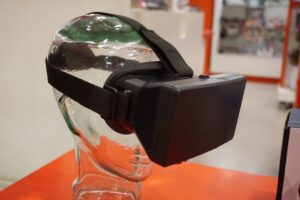

Augmented reality is no longer a novelty; it is reshaping how humans perceive and act on information in real time. The frenzy around AR often masks a fundamental truth: without a disciplined approach, businesses and creators waste resources on flash without substance. Choosing the right AR strategy matters because it determines whether an investment delivers measurable value or simply adds another layer of digital clutter. The market is flooded with headsets, SDKs, and platforms, each promising to make reality smarter. Yet most buyers fall for the “everyone says” narrative, overlooking the nuanced trade‑offs of hardware, development cost, and user experience. This guide cuts through the hype, exposing the real criteria that separate sustainable AR solutions from fleeting spectacles.
📝 Quick Navigation
What Does Augmented Reality Mean?
Augmented reality (AR) blends computer‑generated content with the physical world, allowing users to see digital overlays in real time through a device. Unlike virtual reality, which replaces reality entirely, AR enhances it, keeping the user grounded while delivering contextual information. The technology hinges on precise spatial mapping, sensor fusion, and low‑latency rendering, all of which must work seamlessly for the illusion to feel natural.
Understanding AR requires grasping three core dimensions: the display medium (head‑mounted, handheld, or projected), the interaction model (gesture, voice, or controller), and the content generation pipeline (3D models, real‑time data, or AI‑driven personalization). Only when these dimensions align with a clear use case does AR transcend novelty and become a productivity multiplier. requires grasping three
| Metric | Why It Matters |
|---|---|
| Field of View (FOV) | Wider FOV reduces tunnel vision, making overlays feel integrated. |
| Latency (ms) | Low latency prevents motion sickness and preserves interaction fidelity. |
| Spatial Mapping Accuracy (cm) | Higher accuracy ensures virtual objects stay anchored to real surfaces. |
| Development Ecosystem | Robust SDKs and community support accelerate time‑to‑market. |
Major Augmented Reality Developments
1. Head‑Mounted Displays (HMDs) – Example: Microsoft HoloLens 2
Microsoft’s HoloLens 2 pushes the envelope of enterprise AR with true optical see‑through lenses and advanced hand tracking. The device targets high‑precision tasks such as remote assistance, 3D design reviews, and complex equipment maintenance.
- Key Benefits:
- Large 52° diagonal field of view.
- Eye‑tracking for foveated rendering reduces power consumption.
- Robust enterprise‑grade security and management tools.
- What Needs Work:
- Premium price point limits mass adoption.
- Bulkier form factor compared to lightweight glasses.
Best for: Large‑scale industrial deployments that demand precise spatial anchoring.
2. Handheld AR – Example: Apple iPhone 15 Pro with ARKit 6
Apple’s ARKit 6 leverages the iPhone’s LiDAR scanner, powerful A‑series chip, and sophisticated sensor fusion to deliver high‑quality AR without additional hardware. Developers can ship experiences to a global user base instantly.
- Key Benefits:
- Massive consumer reach via existing device ecosystem.
- Advanced scene reconstruction and occlusion handling.
- Seamless integration with Apple’s App Store distribution.
- What Needs Work:
- Limited field of view constrained by phone screen size.
- Battery drain during sustained AR sessions.
Best for: Consumer‑focused AR apps that prioritize reach over immersive depth. prioritize reach over
3. Projection‑Based AR – Example: Sony Xperia Touch
Sony’s Xperia Touch projects interactive content onto any flat surface, turning tables or walls into touch‑enabled canvases. This approach eliminates wearables entirely, making AR accessible in shared spaces.
- Key Benefits:
- No headgear required; low barrier to entry.
- Multi‑user interaction possible on the same projected surface.
- Portable and battery‑operated for on‑the‑go demos.
- What Needs Work:
- Projection brightness struggles in well‑lit environments.
- Spatial accuracy depends heavily on surface texture.
Best for: Collaborative workshops, retail displays, and education where shared visual context matters.
4. Web‑Based AR – Example: 8th Wall Platform
8th Wall enables developers to create marker‑less AR experiences that run directly in mobile browsers, sidestepping app stores and installation friction. The platform abstracts device differences, delivering a uniform experience across Android and iOS.
- Key Benefits:
- Instant access—no download required.
- Cross‑platform compatibility reduces development overhead.
- Rich analytics and cloud‑based asset management.
- What Needs Work:
- Performance can lag behind native SDKs on complex scenes.
- Limited access to low‑level sensor data on some devices.
Best for: Marketing campaigns and quick‑turn prototypes that need viral distribution. need viral distribution
5. Spatial Computing Platforms – Example: Meta Quest Pro with Mixed‑Reality Passthrough
Meta’s Quest Pro blends VR and AR via high‑resolution color passthrough cameras, allowing developers to craft true mixed‑reality experiences that transition fluidly between immersive and augmentative modes.
- Key Benefits:
- Hybrid capability supports both VR and AR workloads.
- High‑resolution passthrough delivers realistic overlays.
- Integrated hand‑tracking and eye‑tracking for natural interaction.
- What Needs Work:
- Consumer perception still tied to gaming, limiting enterprise credibility.
- Battery life constraints during extended mixed‑reality sessions.
Best for: Creators who need a versatile platform for both immersive training and on‑site augmentation.
| Option | Best For | Difficulty | Cost | Speed of Deployment |
|---|---|---|---|---|
| HoloLens 2 | Industrial & enterprise spatial tasks | High | Premium | Medium |
| iPhone 15 Pro (ARKit) | Consumer apps with broad reach | Low | Low (device already owned) | Fast |
| Sony Xperia Touch | Collaborative public spaces | Medium | Mid‑range | Medium |
| 8th Wall Web AR | Marketing & rapid prototypes | Low | Subscription‑based | Very Fast |
| Meta Quest Pro | Mixed‑reality training & design review | Medium‑High | Premium | Medium |
How to Choose the Right One
First, define the primary business objective. Is the goal to streamline field service, boost consumer engagement, or enable collaborative design? A vague ambition leads to mismatched technology, inflating cost without delivering ROI.
Second, evaluate the environmental constraints. Outdoor deployments demand rugged hardware and high‑brightness displays; indoor scenarios can rely on lighter headsets or projection. Ignoring ambient lighting and surface characteristics is a common mistake that derails otherwise promising pilots. environmental constraints Outdoor
Third, measure the user interaction model. Hand‑tracking excels for intuitive gestures, but precision tasks may still require controllers or voice commands. Selecting an interaction paradigm that aligns with user skill level prevents adoption friction.
Fourth, calculate the total cost of ownership (TCO). Upfront hardware expense is only part of the equation; consider licensing fees, cloud processing costs, and ongoing maintenance. Many organizations underestimate TCO, leading to budget overruns.
Fifth, assess the development ecosystem maturity. Platforms with extensive documentation, sample code, and active forums reduce time‑to‑market. A sophisticated SDK can shave weeks off a project, while a nascent toolkit may stall progress indefinitely.
Finally, factor in scalability. A solution that works for a pilot must be able to scale to thousands of users without degrading performance. Cloud‑based back‑ends, modular asset pipelines, and analytics integration are essential for enterprise‑grade rollouts. users without degrading
Practical Takeaways
Choosing the right AR approach eliminates wasted spend and accelerates value realization. A well‑chosen platform delivers measurable productivity gains, often exceeding 30% in field‑service contexts. It also enhances safety by overlaying critical warnings directly onto equipment, reducing human error.
Effective AR reduces training time dramatically; new employees can learn complex procedures through guided overlays, cutting onboarding cycles in half. The technology also fosters collaboration, allowing remote experts to see exactly what onsite personnel see, which improves problem‑resolution speed.
When the hardware aligns with the use case, user fatigue drops because the device’s ergonomics match the task duration. This leads to higher adoption rates and longer session lengths, unlocking deeper data insights.
Robust analytics built into many AR platforms enable organizations to track usage patterns, pinpoint bottlenecks, and continuously refine the experience. Data‑driven iteration turns a static overlay into an evolving knowledge base. Robust analytics built
Integrating AR with existing enterprise systems—ERP, GIS, or CAD—creates a unified workflow that eliminates manual data entry, thereby reducing errors and freeing staff for higher‑value activities.
Finally, a strategic AR rollout positions a brand as an innovator, strengthening market perception and attracting talent eager to work with cutting‑edge tools.
One Last Thing
The decisive framework for AR selection hinges on aligning business goals, environmental realities, interaction needs, cost structures, and ecosystem maturity. By rigorously applying these criteria, organizations avoid the allure of hype and invest in solutions that truly augment reality.