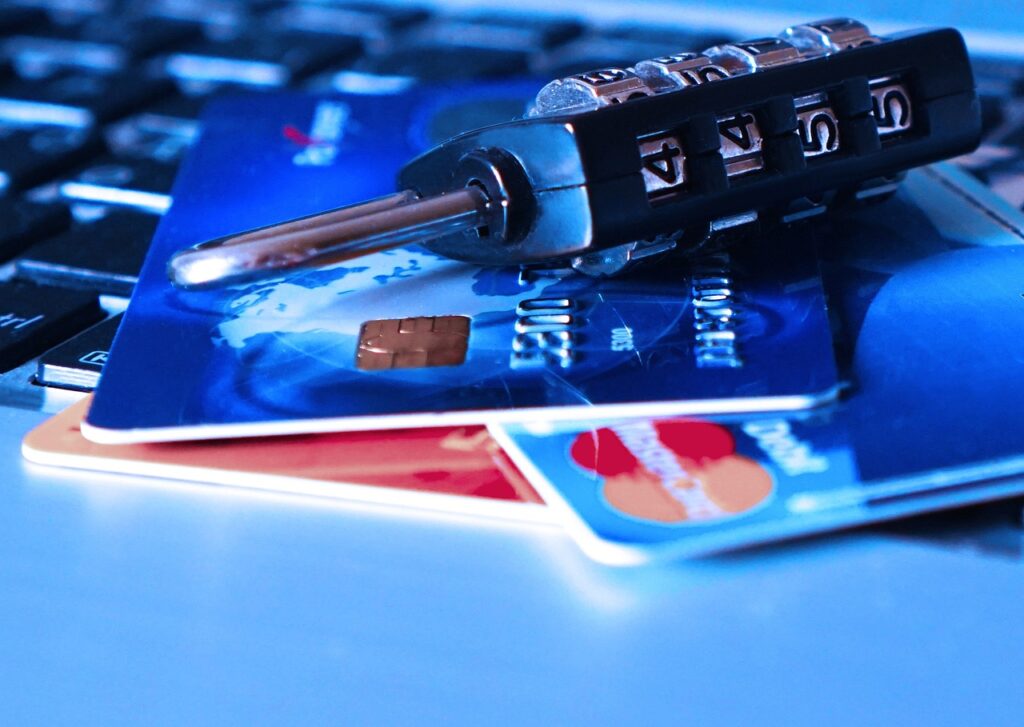

The rise of password managers has been a significant development in the quest for online security. Consider the case of Ashley Madison, where a massive data breach exposed millions of user passwords. Many of these passwords were simple and reused across multiple sites, highlighting the need for better password management. Recently, a study by the password manager NordPass found that the most common password of 2022 was ‘password’, followed closely by ‘123456’. This lack of creativity and security in password creation is exactly what password managers aim to combat. With the increasing awareness of cybersecurity threats, people are turning to password managers in droves. However, like any tool, password managers can be misused, leading to vulnerabilities rather than enhanced security. As of 2023, over 80% of online accounts are protected by password managers, but common mistakes can still put users at risk.
📝 In This Post
Understanding Password Managers
At its core, a password manager is a software application that securely stores and manages login credentials for various online accounts. Instead of trying to remember numerous complex passwords, users only need to recall one master password to access all their stored credentials. This simplification encourages the use of stronger, unique passwords for each account, significantly bolstering security against hacking attempts. A key feature of password managers is their ability to auto-fill login credentials on websites and apps, making the login process smoother and more secure. Companies like LastPass, 1Password, and Dashlane are leading the charge in this space, offering a range of features from password generation to secure note storage.
A comparison of popular password managers can help illustrate their differences and benefits. The following table highlights key features of several well-known password managers:
| Password Manager | Password Generation | Auto-Fill Capabilities | Secure Note Storage |
|---|---|---|---|
| LastPass | Yes | Yes | Yes |
| 1Password | Yes | Yes | Yes |
| Dashlane | Yes | Yes | Yes |
Despite their benefits, password managers are not foolproof. Users must understand how to use them effectively to avoid common pitfalls. One such pitfall is using a weak master password. If the master password is easily guessable or compromised, all the stored passwords become vulnerable. Another mistake is not enabling two-factor authentication (2FA) when available, which adds an extra layer of security to the password manager itself.
Leading Password Manager Solutions
1. LastPass
LastPass is one of the most recognized password managers, offering a wide range of features including password generation, secure sharing, and emergency access. LastPass has a user-friendly interface and supports a variety of platforms. However, like any service, it has experienced security incidents in the past, though none have compromised encrypted password vaults.
LastPass provides detailed security reports, alerting users to weak and duplicate passwords, and offers automatic password updating for certain sites. The service also includes a password generator that can create complex, unique passwords for each of your accounts. LastPass provides detailed
- Wide compatibility with various browsers and devices.
- Advanced security features such as two-factor authentication and emergency access.
- Comprehensive password analysis and security reporting.
Strengths:
2. 1Password
1Password is another highly regarded password manager that emphasizes simplicity and security. It offers advanced features like Travel Mode, which allows users to safely cross borders by removing sensitive data from their devices, and Watchtower, which alerts users to password breaches and other security issues.
1Password stands out with its focus on family and team plans, making it easier for groups to share passwords securely. The service also integrates well with other security tools and apps, enhancing overall digital security.
- Robust sharing features for families and teams.
- Advanced threat detection and security alerts through Watchtower.
- Unique features like Travel Mode for enhanced personal security.
Strengths:
3. Dashlane
Dashlane is known for its user-friendly interface and comprehensive feature set, including automatic password changing and a built-in VPN for secure browsing. Dashlane also offers a feature called Dashlane Insights, which provides users with a detailed analysis of their password health.
Dashlane supports a wide range of platforms and browsers, making it accessible to most users. Its password generator can create and store complex passwords, and the service includes a digital wallet for secure storage of credit card numbers and other personal info.
- Easy-to-use interface that simplifies password management.
- Automatic password changing for supported sites.
- Included VPN for secure internet browsing.
Strengths:
4. Bitwarden
Bitwarden is an open-source password manager that offers a high level of transparency and security. It provides end-to-end encryption and supports self-hosting for those who prefer to manage their own servers. Bitwarden also offers a free version with unlimited password storage and syncing across devices.
Bitwarden’s open-source nature means that its code is available for anyone to review, which can lead to quicker identification and patching of vulnerabilities. The service also supports two-factor authentication and has a built-in password generator.
- Open-source, allowing for community review and contribution.
- End-to-end encryption for maximum security.
- Self-hosting option for advanced users.
Strengths:
5. KeePass
KeePass is another open-source password manager that focuses on simplicity and security. It stores passwords in a highly encrypted database, which can be unlocked with a master password or key file. KeePass is highly customizable and supports a wide range of plugins for extended functionality.
KeePass does not offer cloud syncing by default, which can be seen as a drawback for some users. However, it supports manual export and import of databases, allowing for offline storage and transfer. The lack of cloud syncing can also be viewed as a security advantage by those who prefer not to store sensitive data online.
- Highly customizable with support for various plugins.
- Offline storage for maximum security control.
- Open-source for community review and development.
Strengths:
Real-World Benefits
✔ Enhanced Security Enhanced Security
Using a password manager significantly enhances online security by encouraging the use of unique, complex passwords for each account. This makes it much harder for hackers to gain unauthorized access, even if one password is compromised. With features like two-factor authentication and password generation, password managers provide a robust defense against common hacking techniques.
✔ Convenience
Password managers offer convenience by allowing users to access all their passwords with a single master password. This eliminates the need to remember multiple complex passwords or write them down insecurely. Auto-fill features also save time when logging into websites and apps.
✔ Organization
Password managers help keep digital lives organized by storing not just passwords but also secure notes and other sensitive information. This centralized storage makes it easier to manage and update credentials, reducing the clutter and confusion associated with multiple accounts.
✔ Family and Team Sharing
Many password managers offer features for secure sharing among family members or teams. This allows for the safe distribution of shared account credentials without having to physically share or expose the passwords themselves. It’s particularly useful for managing household accounts or collaborative work projects.
✔ Password Analysis
Advanced password managers provide detailed analysis and reporting on password health, identifying weak, duplicate, and compromised passwords. This insight helps users strengthen their passwords and improve overall security posture. Regular security audits and breach alerts further enhance protection.
✔ Digital Legacy
Some password managers include features for digital legacy planning, allowing users to designate emergency contacts who can access their accounts in the event of death or incapacitation. This ensures that important digital assets and accounts can be managed appropriately, reducing potential legal and logistical complications.
What’s Coming
- Advanced Biometric Integration
- AI-Driven Password Management
- Quantum-Resistant Encryption
- Increased Focus on User Experience
- Integration with Emerging Technologies
The future of password managers is likely to see more advanced integration with biometric technologies, such as facial recognition and fingerprint scanning, to provide even more secure and convenient authentication methods. As biometric hardware becomes more prevalent in devices, password managers will likely adapt to use these features for enhanced security.
Artificial intelligence (AI) will play a larger role in password management, from predicting and preventing breaches to automatically generating and updating passwords based on user behavior and security threats. AI can analyze user patterns and adapt password management strategies to minimize risk and maximize convenience.
With the advent of quantum computing, there’s a growing need for quantum-resistant encryption methods to protect against potentially powerful future hacking tools. Password managers will need to adopt these new encryption standards to ensure continued security in a post-quantum world. This shift will be crucial for safeguarding sensitive information from the enhanced computing power of quantum computers.
As password managers become more mainstream, there will be a greater emphasis on user experience, with simpler, more intuitive interfaces designed to appeal to a broader audience. Making password management accessible and easy to understand will be key to wider adoption and effective use. This includes streamlined onboarding processes, clear security guidance, and personalized recommendations for improving password security.
Password managers will need to integrate with emerging technologies such as the Internet of Things (IoT) devices, ensuring that these new endpoints are secured with strong, unique passwords and that their access is managed centrally and securely. As IoT devices become more common in homes and workplaces, securing them will become a priority for password managers.
The following table illustrates the projected growth of the password manager market and the increasing importance of cybersecurity in various industries:
| Year | Password Manager Market Size | Growth Rate | Cybersecurity Spending in Key Industries |
|---|---|---|---|
| 2023 | $1.2 Billion | 15% | Healthcare: $10 Billion, Finance: $15 Billion |
| 2025 | $2.5 Billion | 20% | Healthcare: $12 Billion, Finance: $18 Billion |
| 2030 | $6.0 Billion | 25% | Healthcare: $15 Billion, Finance: $22 Billion |
Key Takeaways
Password managers are a crucial tool in the fight against cyber threats, offering a convenient and secure way to manage complex passwords. However, their effectiveness can be undermined by common mistakes such as using weak master passwords or failing to enable two-factor authentication. By understanding these pitfalls and choosing a reputable password manager, individuals can significantly enhance their online security. As technology evolves, the future of password management will be shaped by advancements in biometrics, AI, and quantum-resistant encryption, making password managers an essential component of personal and corporate cybersecurity strategies.
The importance of password managers extends beyond personal use, with businesses and organizations also benefiting from the centralized management of credentials and the enhanced security they provide. With the growing threat of cyberattacks, investing in a robust password manager is a proactive step towards protecting sensitive information and ensuring digital security.
To wrap up, the role of password managers in modern cybersecurity cannot be overstated. They offer a powerful solution to the age-old problem of password management, combining convenience with security. As the online space continues to evolve, the adaptation and development of password managers will play a critical role in safeguarding personal and corporate digital assets.