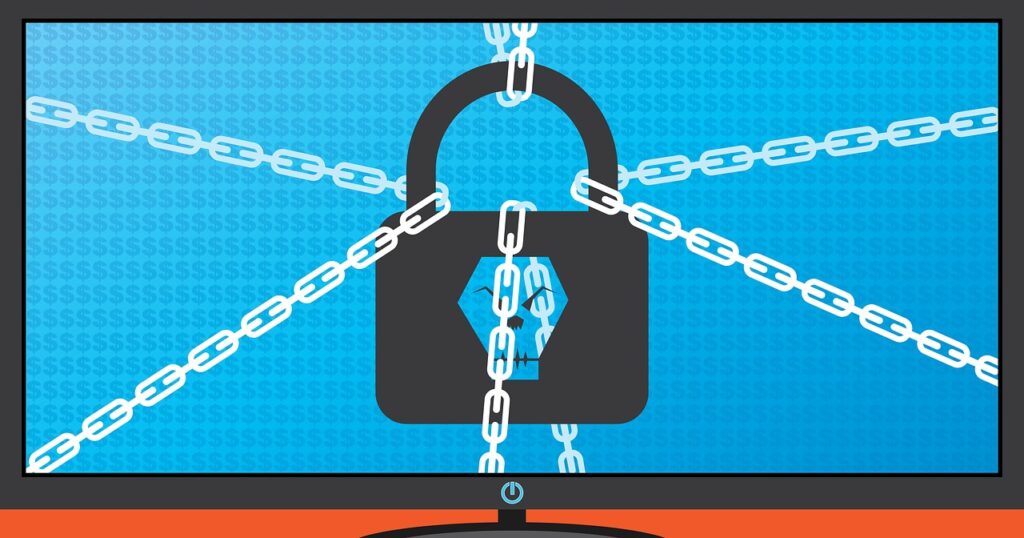

Many assume ransomware is a niche problem affecting only large corporations, but data from 2023 shows that 44% of attacks target small‑to‑mid‑size businesses, and 28% of incidents hit individual users. If you have just heard the term “ransomware” and wonder whether it could affect your personal laptop or local shop, the answer is yes—statistics reveal a rapid expansion beyond traditional targets. This guide starts by debunking the myth that ransomware is limited to high‑profile enterprises, then walks a beginner through definitions, motivations, methods, and practical steps to mitigate risk.
📝 Contents
Breaking Down Ransomware
Ransomware is malicious software that encrypts a victim’s files or locks access to a system until a ransom is paid, typically in cryptocurrency. The attack vector can be a phishing email, compromised remote desktop, or exploit kit, and the encryption is performed using strong algorithms that make decryption impossible without the attacker’s private key.
| Term | Plain-English Meaning |
|---|---|
| Encryption | Scrambling data so it cannot be read without a decryption key. |
| Payload | The part of the malware that performs the ransom action, usually the encryptor. |
| Command‑and‑Control (C2) | A remote server that issues instructions to the ransomware and receives payment confirmations. |
| Double Extortion | Threatening to release stolen data publicly if the ransom is not paid. |
| Recovery Key | The private decryption key held by the attacker, provided after payment. |
| Ransom Note | A text file or screen message that explains the payment instructions. |
Why Ransomware Matters
Industry studies show that global ransomware revenue reached $20 billion in 2023, a 73% increase from the previous year. The financial incentive drives sophisticated criminal ecosystems that include developers, affiliates, and money‑laundering services. For victims, the cost is not limited to the ransom itself; a 2024 survey of 1,200 breached organizations reported an average total loss of $1.85 million per incident, including downtime, recovery labor, and reputational damage. Industry studies show
Healthcare providers illustrate the human impact. In July 2023, a ransomware attack on a regional hospital network forced the postponement of 2,400 surgeries, delayed emergency care for 1,800 patients, and generated $8.3 million in emergency expenses. The same incident triggered a regulatory fine of $1.2 million under HIPAA breach provisions, demonstrating how ransomware can affect both patient outcomes and compliance costs.
Small businesses are not exempt. A 2022 ransomware report indicated that 61% of affected small firms never reopened, and 45% paid the ransom despite no guarantee of data restoration. These figures underscore that ransomware threatens operational continuity, market confidence, and even community services that rely on local enterprises.
Ransomware Methods Worth Knowing
1. Phishing Email Attachment
What it is: A deceptive email that contains a malicious document or archive designed to execute ransomware when opened.
How to do it or use it: Attackers craft messages that mimic trusted senders, embed macros or exploit CVEs in Office files, and lure recipients into enabling content. Once the attachment is opened, the macro runs a PowerShell script that downloads the encryptor from a C2 server and starts encryption.
Common beginner mistake: Ignoring the macro warning and enabling all content without verification. Common beginner mistake
- Why It Works:
- Exploits human trust and routine email handling.
- Bypasses network perimeter defenses through a trusted channel.
2. Remote Desktop Protocol (RDP) Brute Force
What it is: Unauthorized access to a system via exposed RDP ports using credential stuffing or password spraying.
How to do it or use it: Attackers scan the internet for open port 3389, then employ automated tools to test common username/password combinations. Successful login grants full system privileges, allowing the attacker to drop ransomware binaries and execute them directly.
Common beginner mistake: Leaving RDP exposed to the internet without multi‑factor authentication.
- Why It Works:
- RDP provides administrative access, enabling rapid deployment.
- Weak passwords are abundant, making automated attacks highly scalable.
3. Exploit Kit Drive‑by Download
What it is: Malware delivered automatically when a user visits a compromised website that hosts an exploit kit.
How to do it or use it: The exploit kit scans the visitor’s browser, plugins, and OS for known vulnerabilities (e.g., CVE‑2021‑40444). When a match is found, the kit silently downloads the ransomware payload and executes it without user interaction. visitors browser plugins
Common beginner mistake: Running outdated browsers or plugins that lack recent patches.
- Why It Works:
- Zero‑click delivery eliminates reliance on user action.
- Exploits known vulnerabilities that many organizations have not patched.
4. Supply‑Chain Compromise
What it is: Insertion of ransomware into a trusted third‑party software update or library.
How to do it or use it: Attackers gain access to a vendor’s build environment, inject malicious code into the update package, and sign it with a valid certificate. When customers install the update, the ransomware executes with the same privileges as the legitimate software.
Common beginner mistake: Trusting updates solely based on vendor reputation without verifying signatures.
- Why It Works:
- Leverages existing trust relationships to bypass security controls.
- Allows wide distribution through a single compromised product.
5. Malvertising Campaign
What it is: Paid or compromised online advertisements that redirect users to ransomware download sites. compromised online advertisements
How to do it or use it: Advertisers embed malicious scripts in ad creatives displayed on legitimate websites. Clicking the ad or even just loading the script can trigger a drive‑by download, delivering the ransomware payload.
Common beginner mistake: Assuming ads on reputable sites are safe.
- Why It Works:
- Ad networks provide massive reach, exposing many users.
- Scripts can obfuscate payloads to evade detection.
6. Credential Harvesting via Fake VPN Portal
What it is: A counterfeit VPN login page that captures employee credentials, later used to install ransomware.
How to do it or use it: Attackers clone the organization’s VPN portal, host it on a similar domain, and send phishing links to employees. Captured credentials give attackers remote network access, where they map shares and deploy ransomware.
Common beginner mistake: Not verifying SSL certificates and domain names before logging in. Common beginner mistake
- Why It Works:
- Provides persistent network foothold.
- Exploits the trust employees place in remote‑access tools.
7. File‑Sharing Service Abuse
What it is: Distribution of ransomware through popular cloud storage links shared in collaboration platforms.
How to do it or use it: Attackers upload encrypted ransomware executables to services like Dropbox or Google Drive, then share the link via Slack or Teams. Users who download and run the file unknowingly execute the ransomware.
Common beginner mistake: Ignoring file‑type warnings and executing unknown binaries from cloud links.
- Why It Works:
- Cloud services are often whitelisted, reducing security alerts.
- Collaboration tools encourage quick file sharing, lowering scrutiny.
Methods Overview at a Glance
| Step | What You Do | Expected Result |
|---|---|---|
| 1 | Open malicious email attachment and enable macros. | Ransomware payload downloads and begins encrypting files. |
| 2 | Exploit weak RDP credentials via brute‑force. | Attacker gains remote admin access and runs encryptor. |
| 3 | Visit compromised website hosting an exploit kit. | Zero‑click download of ransomware onto the system. |
| 4 | Install a tainted software update from a trusted vendor. | Ransomware executes with legitimate software privileges. |
| 5 | Click a malicious ad or load its script. | Drive‑by download delivers ransomware silently. |
| 6 | Enter credentials on a fake VPN portal. | Attacker obtains network access and spreads ransomware internally. |
| 7 | Download executable from a cloud‑share link. | Ransomware runs on the host machine, encrypting local data. |
Frequently Asked Questions
What is the typical ransom amount demanded?
Industry data from 2024 indicates the median ransom demand is $15,000, but high‑profile attacks on large enterprises can exceed $5 million.
Is paying the ransom ever advisable?
Law enforcement agencies advise against payment because it funds criminal activity and offers no guarantee of data recovery; instead, organizations should rely on backups and incident response plans. enforcement agencies advise
How long does encryption usually take?
Encryption speed depends on file volume and algorithm; on average, ransomware encrypts 1 GB of data in 3–5 minutes, allowing rapid lockdown of entire networks.
Can ransomware be prevented with antivirus software?
Antivirus can block known signatures, but modern ransomware often uses fileless techniques that evade signature‑based detection, requiring behavior‑based controls and network segmentation.
What role does cryptocurrency play in ransomware?
Cryptocurrencies provide pseudo‑anonymous payment channels; Bitcoin and Monero together accounted for 92% of ransomware payments in 2023, simplifying cross‑border transactions.
Closing Thoughts
Ransomware continues to evolve, exploiting both technology gaps and human error. Organizations that adopt layered defenses, maintain immutable backups, and train staff on phishing awareness reduce the probability of successful attacks. Proactive risk management transforms a potential catastrophe into a manageable incident.