
According to a recent survey, 45% of homeowners in the United States have already adopted some form of smart home technology. For a beginner who has just discovered this topic, the idea of turning their home into a smart and connected space can be both exciting and overwhelming. With so many devices and systems available, it’s hard to know where to start. The good news is that getting started with smart home technology is easier than ever. There are many affordable and user-friendly devices on the market that can help homeowners automate and control various aspects of their living space. For instance, a homeowner in California was able to save $100 per month on their energy bill by installing a smart thermostat. This is just one example of how smart home technology can make a real difference in people’s lives. With the right guidance and support, anyone can create a smart home that is tailored to their needs and preferences.
📝 What You'll Learn
What Does Smart Home Mean?
A smart home refers to a living space that is equipped with various devices and systems that can be controlled and monitored remotely using a smartphone, tablet, or computer. These devices can include thermostats, lights, security cameras, door locks, and many others. The idea behind smart home technology is to create a seamless and integrated experience that makes life easier, more convenient, and more enjoyable. The following table explains some key terms related to smart home technology:
| Term | Plain-English Meaning |
|---|---|
| Hub | A central device that connects and controls all smart devices in the home |
| Sensor | A device that detects and reports changes in the environment, such as temperature, light, or motion |
| Automation | The ability of smart devices to perform tasks automatically based on predefined rules or schedules |
| Voice Assistant | A virtual assistant, such as Amazon Alexa or Google Assistant, that can control smart devices using voice commands |
| Integration | The ability of smart devices to work together seamlessly and share data |
| Cloud | A remote server that stores and processes data from smart devices, allowing for remote access and control |
Why Smart Home Matters
A family in New York was able to reduce their energy consumption by 20% by installing smart light bulbs and a smart thermostat. This not only helped them save money on their utility bills but also reduced their carbon footprint. Smart home technology can have a significant impact on people’s lives, from increasing convenience and comfort to improving safety and security. For example, a smart door lock can alert homeowners if someone tries to enter their home while they are away. Additionally, smart home devices can help people with disabilities or elderly individuals live more independently by providing them with easy access to various services and features.
According to a study, 75% of homeowners who have adopted smart home technology report feeling more secure and in control of their living space. This is because smart home devices can provide real-time monitoring and alerts, allowing homeowners to respond quickly to any potential issues. Furthermore, smart home technology can also help homeowners save time and effort by automating routine tasks, such as turning off lights or adjusting the thermostat.
A homeowner in Texas was able to sell their smart home for 15% more than similar homes in the area, thanks to the added value of the smart devices and systems. This is just one example of how smart home technology can increase the value of a property. As more and more homeowners adopt smart home technology, it’s becoming a key selling point for potential buyers. In fact, a recent survey found that 60% of homebuyers consider smart home features to be an important factor when choosing a new home.
Major Smart Home Developments
1. Setting Up a Smart Hub
A smart hub is the central device that connects and controls all smart devices in the home. Setting up a smart hub is a crucial step in creating a smart home. To set up a smart hub, homeowners need to choose a device that is compatible with their existing devices and network. They then need to connect the hub to their router and follow the manufacturer’s instructions to complete the setup process. One common mistake that beginners make is not ensuring that their hub is compatible with all their devices. This can lead to compatibility issues and make it difficult to control all devices seamlessly. their existing devices
- Plus Points: Plus Points
- Easy to set up and use
- Compatible with a wide range of devices
2. Installing Smart Lighting
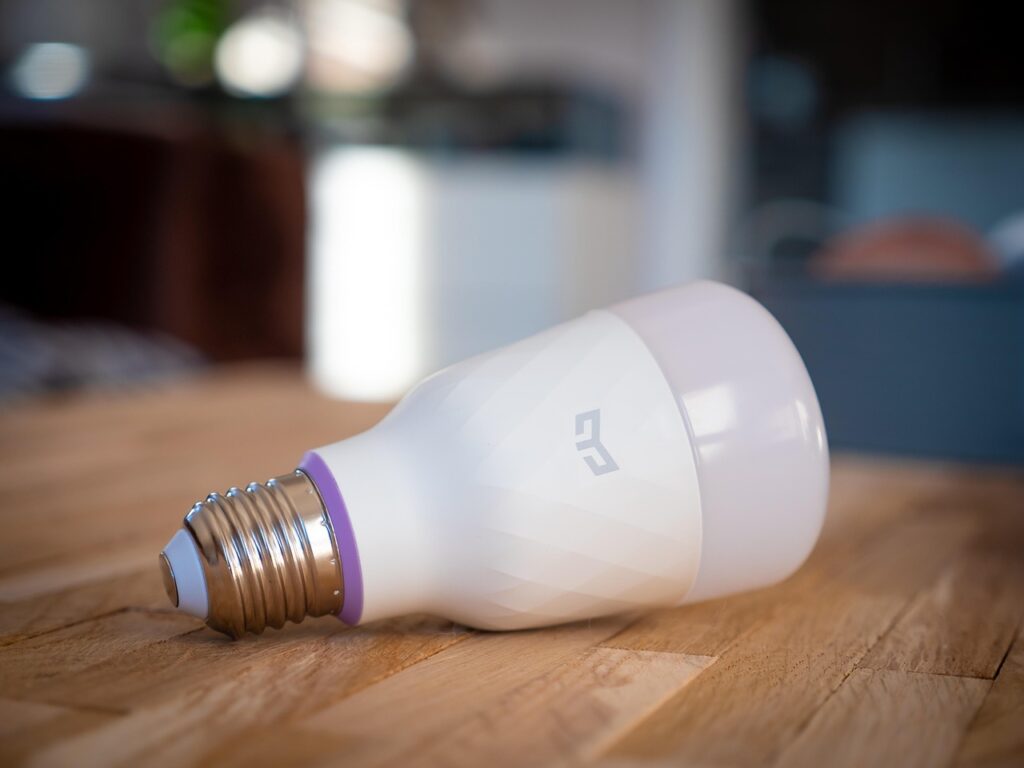
Smart lighting is one of the most popular smart home devices. Installing smart lighting can help homeowners save energy, improve ambiance, and increase safety. To install smart lighting, homeowners need to choose the right type of bulbs and fixtures for their space. They then need to connect the bulbs to their smart hub and follow the manufacturer’s instructions to complete the setup process. One common mistake that beginners make is not considering the color temperature and brightness of the bulbs. This can affect the overall ambiance and comfort of the space.
- Plus Points:
- Energy-efficient and cost-effective
- Easy to install and control
3. Setting Up a Smart Thermostat
A smart thermostat is a device that can learn a homeowner’s schedule and preferences to optimize heating and cooling. Setting up a smart thermostat can help homeowners save energy and reduce their utility bills. To set up a smart thermostat, homeowners need to choose a device that is compatible with their HVAC system. They then need to connect the thermostat to their smart hub and follow the manufacturer’s instructions to complete the setup process. One common mistake that beginners make is not programming the thermostat correctly. This can lead to inefficient heating and cooling, which can increase energy bills.
- Plus Points:
- Energy-efficient and cost-effective
- Easy to install and control
4. Installing Smart Security Cameras
Smart security cameras can provide homeowners with real-time monitoring and alerts, allowing them to respond quickly to any potential issues. Installing smart security cameras can help homeowners increase safety and security. To install smart security cameras, homeowners need to choose the right type of cameras for their space. They then need to connect the cameras to their smart hub and follow the manufacturer’s instructions to complete the setup process. One common mistake that beginners make is not positioning the cameras correctly. This can lead to blind spots and reduced coverage. Smart security cameras
- Plus Points: Plus Points
- Provides real-time monitoring and alerts
- Can deter potential intruders
5. Setting Up Smart Door Locks
Smart door locks can provide homeowners with keyless entry and remote monitoring, allowing them to control who enters their home. Setting up smart door locks can help homeowners increase safety and security. To set up smart door locks, homeowners need to choose a device that is compatible with their existing door hardware. They then need to connect the lock to their smart hub and follow the manufacturer’s instructions to complete the setup process. One common mistake that beginners make is not ensuring that the lock is compatible with their existing door hardware. This can lead to installation issues and reduced functionality.
- Plus Points:
- Provides keyless entry and remote monitoring
- Can increase safety and security
6. Integrating Smart Home Devices
Integrating smart home devices can help homeowners create a seamless and integrated experience. To integrate smart home devices, homeowners need to choose devices that are compatible with each other and their smart hub. They then need to follow the manufacturer’s instructions to complete the integration process. One common mistake that beginners make is not ensuring that all devices are compatible with each other. This can lead to integration issues and reduced functionality.
- Plus Points:
- Creates a seamless and integrated experience
- Can increase convenience and comfort
7. Monitoring and Controlling Smart Home Devices
Monitoring and controlling smart home devices can help homeowners optimize their smart home experience. To monitor and control smart home devices, homeowners need to use a smart home app or voice assistant. They then need to follow the manufacturer’s instructions to complete the setup process. One common mistake that beginners make is not regularly updating their smart home app or firmware. This can lead to security vulnerabilities and reduced functionality. controlling smart home
- Plus Points: Plus Points
- Provides real-time monitoring and control
- Can increase convenience and comfort
| Step | What You Do | Expected Result |
|---|---|---|
| 1. Setting Up a Smart Hub | Connect the hub to your router and follow the manufacturer’s instructions | A central device that connects and controls all smart devices in the home |
| 2. Installing Smart Lighting | Choose the right type of bulbs and fixtures and connect them to your smart hub | Energy-efficient and cost-effective lighting that can be controlled remotely |
| 3. Setting Up a Smart Thermostat | Choose a device that is compatible with your HVAC system and connect it to your smart hub | A device that can learn your schedule and preferences to optimize heating and cooling |
| 4. Installing Smart Security Cameras | Choose the right type of cameras and connect them to your smart hub | Real-time monitoring and alerts that can help increase safety and security |
| 5. Setting Up Smart Door Locks | Choose a device that is compatible with your existing door hardware and connect it to your smart hub | Keyless entry and remote monitoring that can help increase safety and security |
| 6. Integrating Smart Home Devices | Choose devices that are compatible with each other and your smart hub | A seamless and integrated experience that can increase convenience and comfort |
| 7. Monitoring and Controlling Smart Home Devices | Use a smart home app or voice assistant to monitor and control your devices | Real-time monitoring and control that can help optimize your smart home experience |
Frequently Asked Questions
What is the average cost of a smart home system?
The average cost of a smart home system can vary widely, depending on the type and number of devices, as well as the complexity of the system. However, a basic smart home system can start at around $100, while a more advanced system can cost $1,000 or more. For example, a homeowner in Florida spent $500 on a smart home system that included a smart thermostat, smart lighting, and a smart security camera. smart home system
How do I choose the right smart home devices for my needs?
Choosing the right smart home devices can be overwhelming, but it’s essential to consider your specific needs and goals. Start by identifying the areas of your home that you want to automate or control, such as lighting, temperature, or security. Then, research different devices and systems to find the ones that best fit your needs and budget. For instance, a homeowner in California chose a smart home system that integrated with their existing devices and allowed them to control everything from one app.
Can I control my smart home devices remotely?
Yes, most smart home devices can be controlled remotely using a smartphone app or voice assistant. This allows you to monitor and control your devices from anywhere, whether you’re at home or away. For example, a homeowner in New York can turn off their lights and adjust their thermostat using their smartphone app, even when they’re on vacation.
How do I ensure the security of my smart home system?
Ensuring the security of your smart home system is crucial to protecting your personal data and preventing unauthorized access. Start by choosing devices and systems that have robust security features, such as encryption and two-factor authentication. Then, make sure to regularly update your devices and software to prevent vulnerabilities. Additionally, use strong passwords and keep your network secure to prevent hacking. A homeowner in Texas used a smart home system with advanced security features to protect their home and family.
Can I integrate my smart home devices with other systems, such as my TV or audio system?
Yes, many smart home devices can be integrated with other systems, such as your TV or audio system. This can create a seamless and connected experience, allowing you to control multiple devices with a single interface. For example, a homeowner in Illinois integrated their smart home system with their TV and audio system, allowing them to control everything from one remote.
The Big Picture
Creating a smart home is a path that requires patience, research, and experimentation. By following these beginner tips and guidelines, homeowners can create a smart home that is tailored to their needs and preferences. With the right devices and systems, homeowners can increase convenience, comfort, and safety, while also saving energy and reducing their environmental impact. As technology continues to evolve, the possibilities for smart home automation will only continue to grow, making it an exciting time to be a part of this innovative and rapidly changing field.





Pingback: Understanding IoT: A Beginner’s Guide – ciphora.online
Pingback: AI Tools: Expert Insights – ciphora.online
Pingback: Mastering Advanced Programming Strategies – ciphora.online